How to Search for a User
Cloudica™ provides you with multiple options to search for a specific user.
Here are easy steps on how to find a user in the Virtual Workspace.
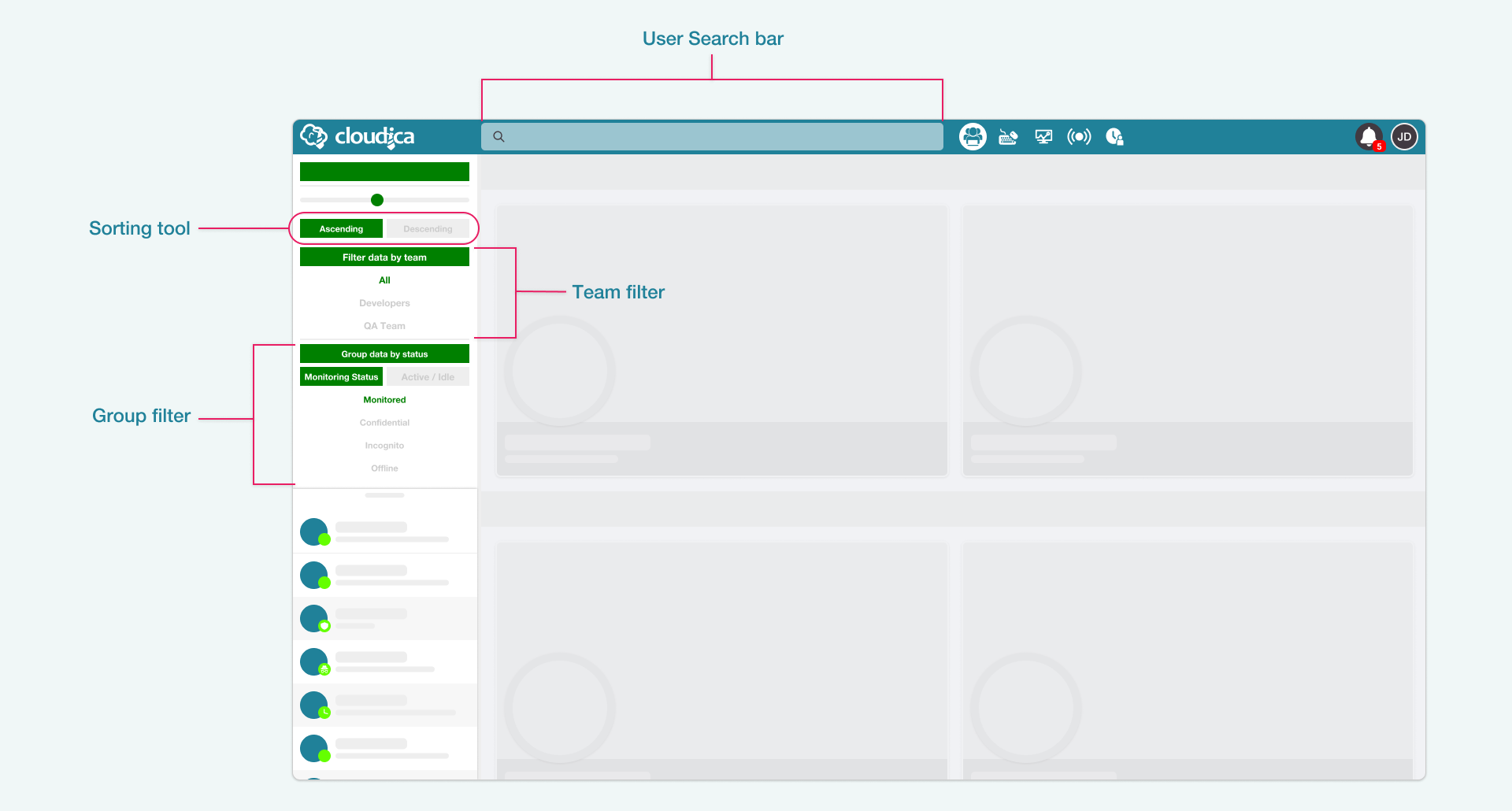 Use the search function on the top part of the Dashboard Application to find a specific user by typing in the name. You can use the Sorting Tool to arrange user’s last names in ascending or descending order.
When you search for a user through the search function, the Online Users List is also filtered and shows the same results from the search query. You can use this method to navigate and look for specific users. The filtered result in the Online Users List is retained even if the search results container is closed.
Use the search function on the top part of the Dashboard Application to find a specific user by typing in the name. You can use the Sorting Tool to arrange user’s last names in ascending or descending order.
When you search for a user through the search function, the Online Users List is also filtered and shows the same results from the search query. You can use this method to navigate and look for specific users. The filtered result in the Online Users List is retained even if the search results container is closed.
 You can also search through the available users by Team and Status.
 Using the options provided in this guide will help you find a specific user you need.
Copyright © 2022 Cloudica LLC